
SERVICELINK
EXOS Appraisal
Redesigning the essential productivity suite for appraisers across the US.

Years
2020-2021
Role
Lead UXD
Impact
-50% cycle time · 750K appraisals supported · 800+ screens redesigned
Thousands of daily users, mounting complaints
Built in 2017. Thousands of daily users. But outdated architecture and buried features drove complaints and declining engagement.
Redesigning 800+ screens without breaking the workflow
We audited the existing app and prioritized redesigns by frequency of use and severity of complaints. The top 5 pain points accounted for 80% of user friction. The Refresh EXOS Valuations App launched in April 2021. Both iOS or Android™ platforms are available.


Before vs. After
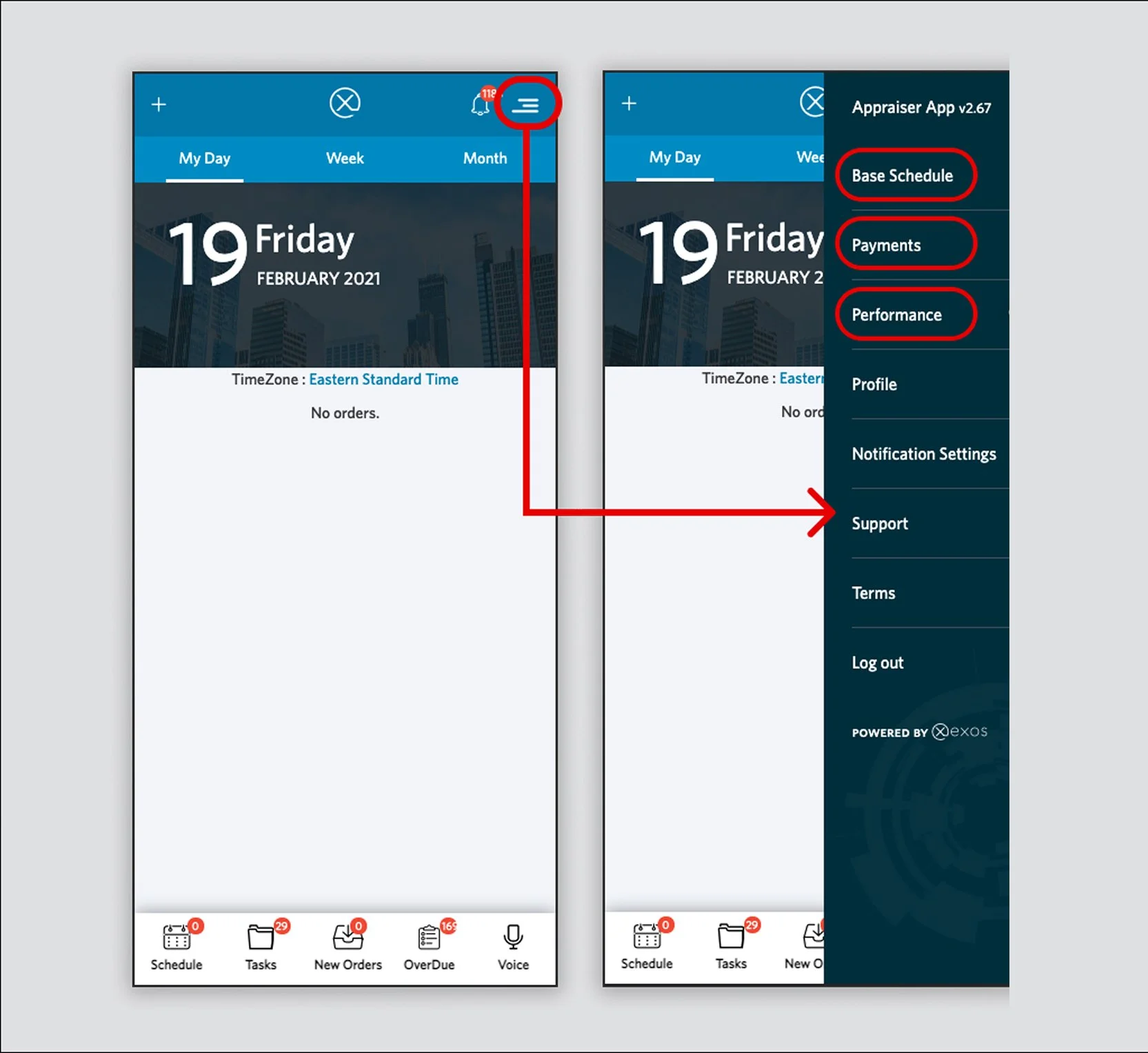
Before - BottomNav wastes
The interface hides critical features while wasting Bottom Nav space on unnecessary order status tabs.
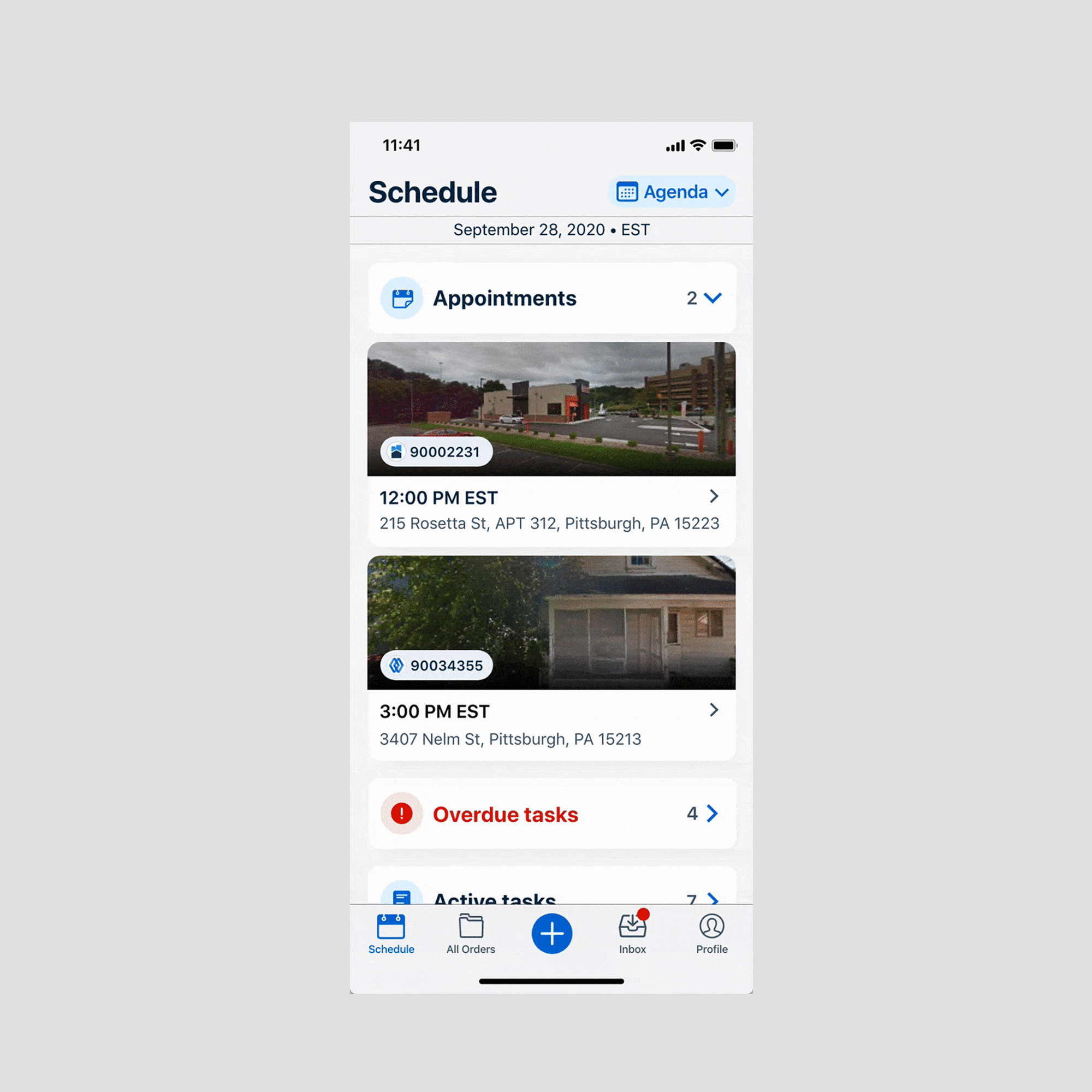
✔ After - Maximize BottomNav
Winning IA, actions easy to reach for thumbs.
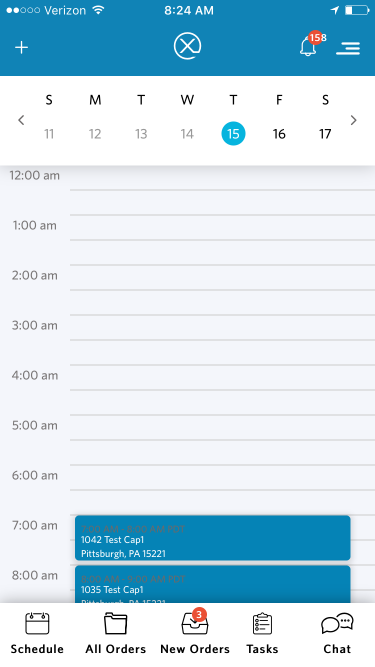
Before - Difficult-to-use Calendar
All the drop-down in the Base Schedule are default folded, so it influenced discoverability. And the drop-down is combing with the Calendar Sync simple due to there is limited space in the hamburger menu.
✔ After - Smart Calendar
After refresh, the base schedule is default showing all the saved availability, and includes more features like ”multi-tenancy,” “apply to other days“, and “region.“
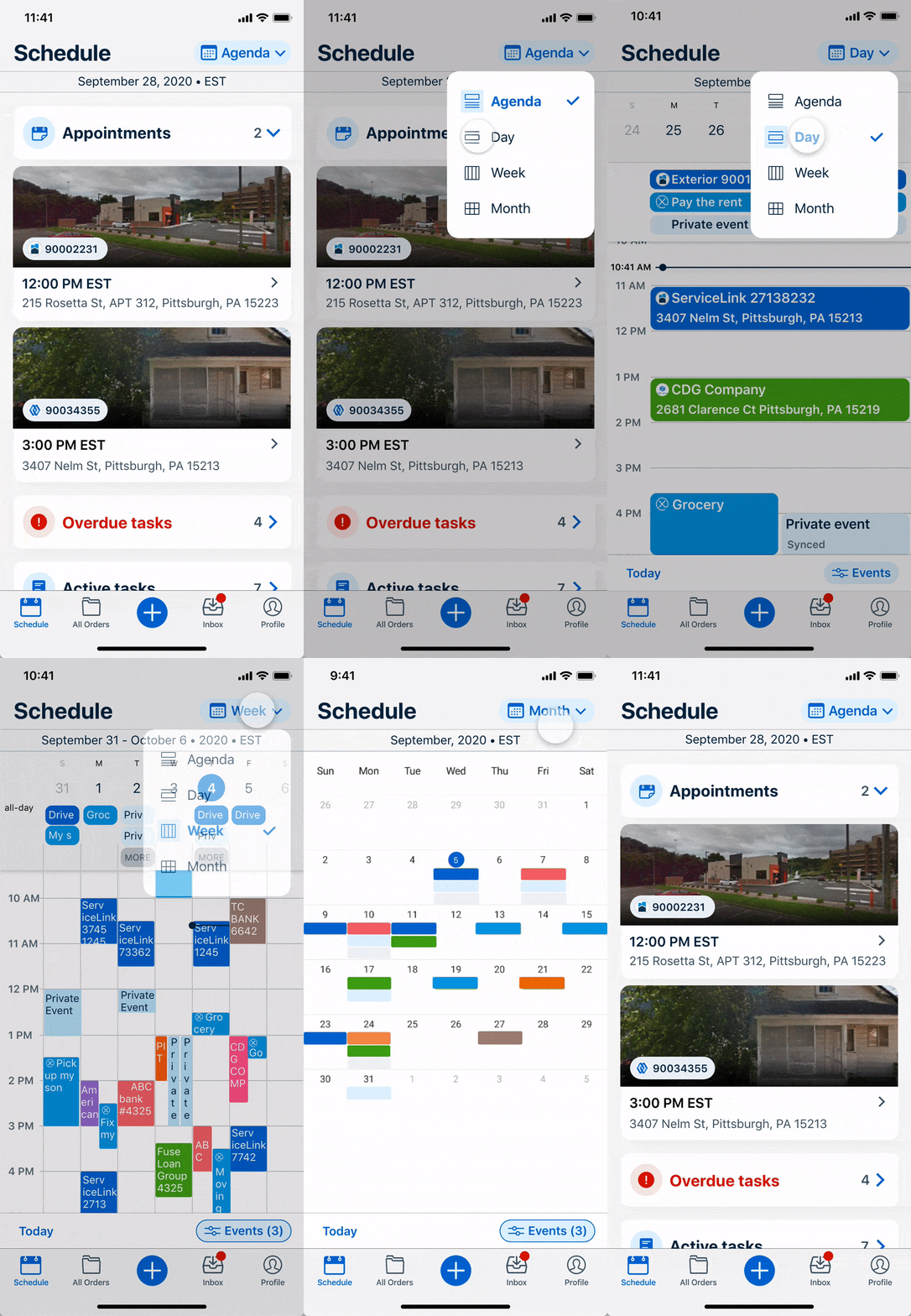
Base Schedule - Set up Your Working Hours in one Place
Before
All the drop-down in the Base Schedule are default folded, so it influenced discoverability. And the drop-down is combing with the Calendar Sync simple due to there is limited space in the hamburger menu.

✔ After
After refresh, the base schedule is default showing all the saved availability, and includes more features like ”multi-tenancy,” “apply to other days“, and “region.“

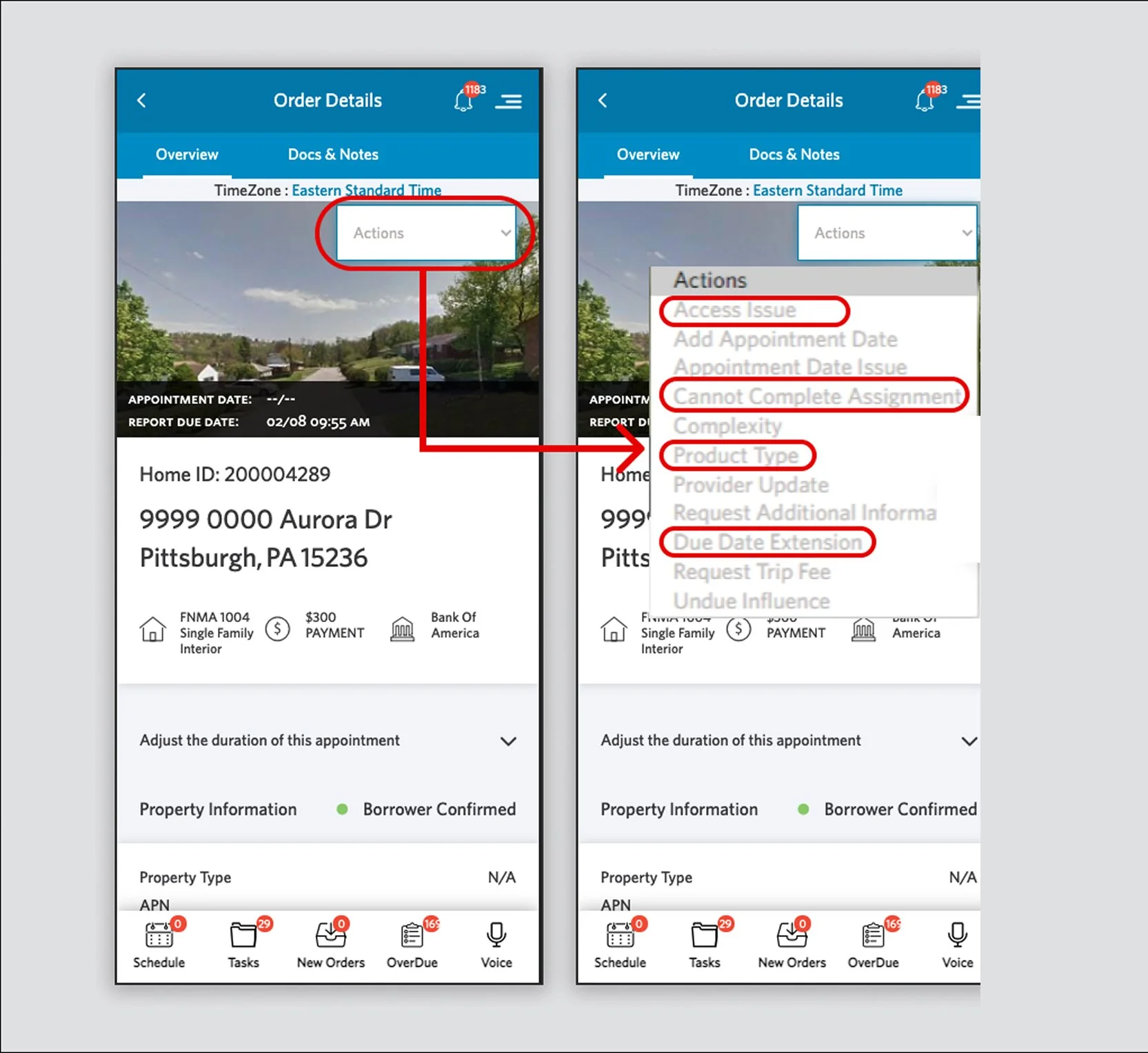
Before - High-Friction Actions
Frequently used actions are buried in a hard-to-reach, disorganized dropdown. All equal visual weight not accessible, string contradicted, very hight cognitive load.
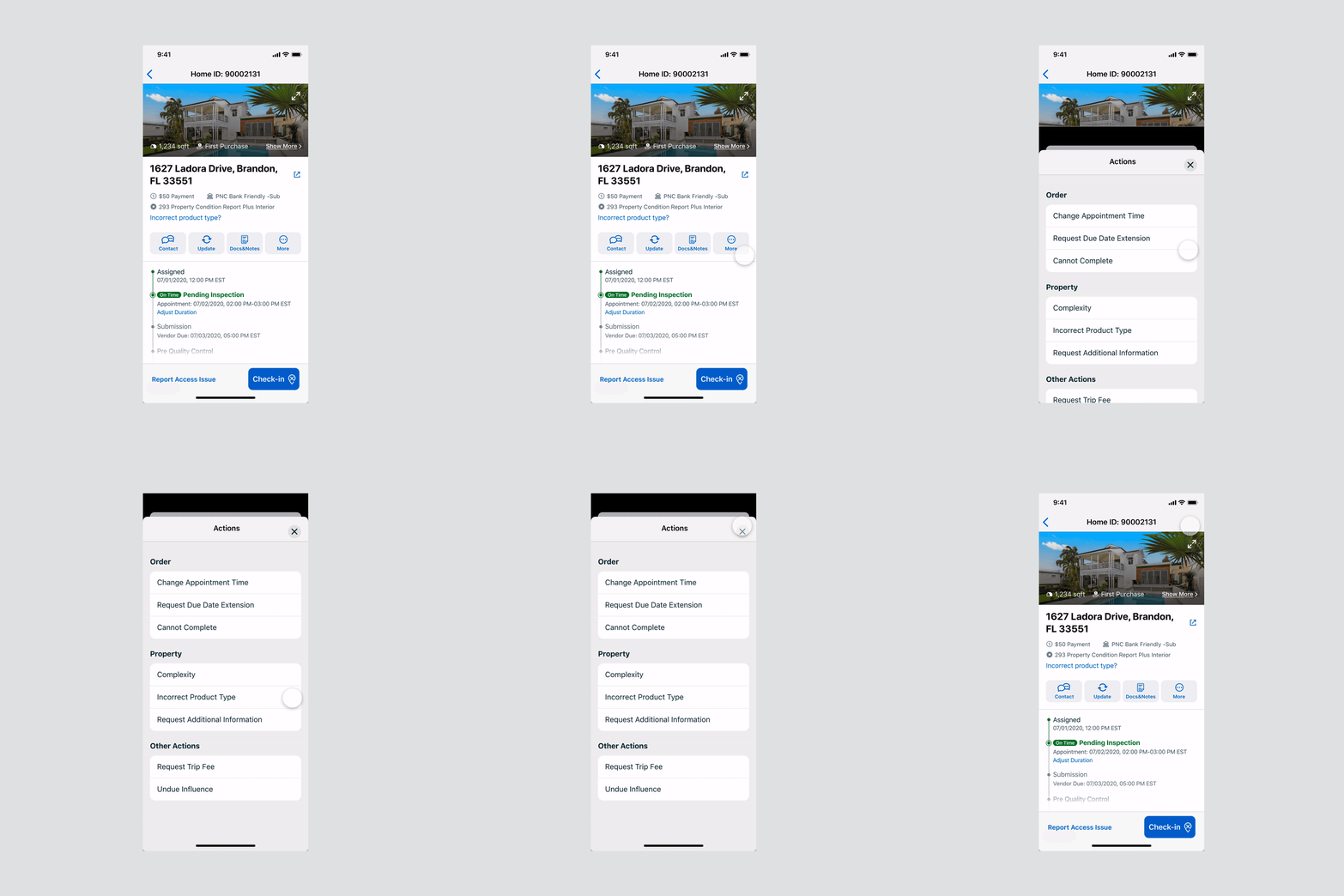
✔ After - Easy/proritized actions
Prioiritized actions based on data, rest in “More“ Reduce options, add icons.
Before - Forget to checkin
Missing check-in alerts lead to forgotten updates and unnecessary follow-up calls.
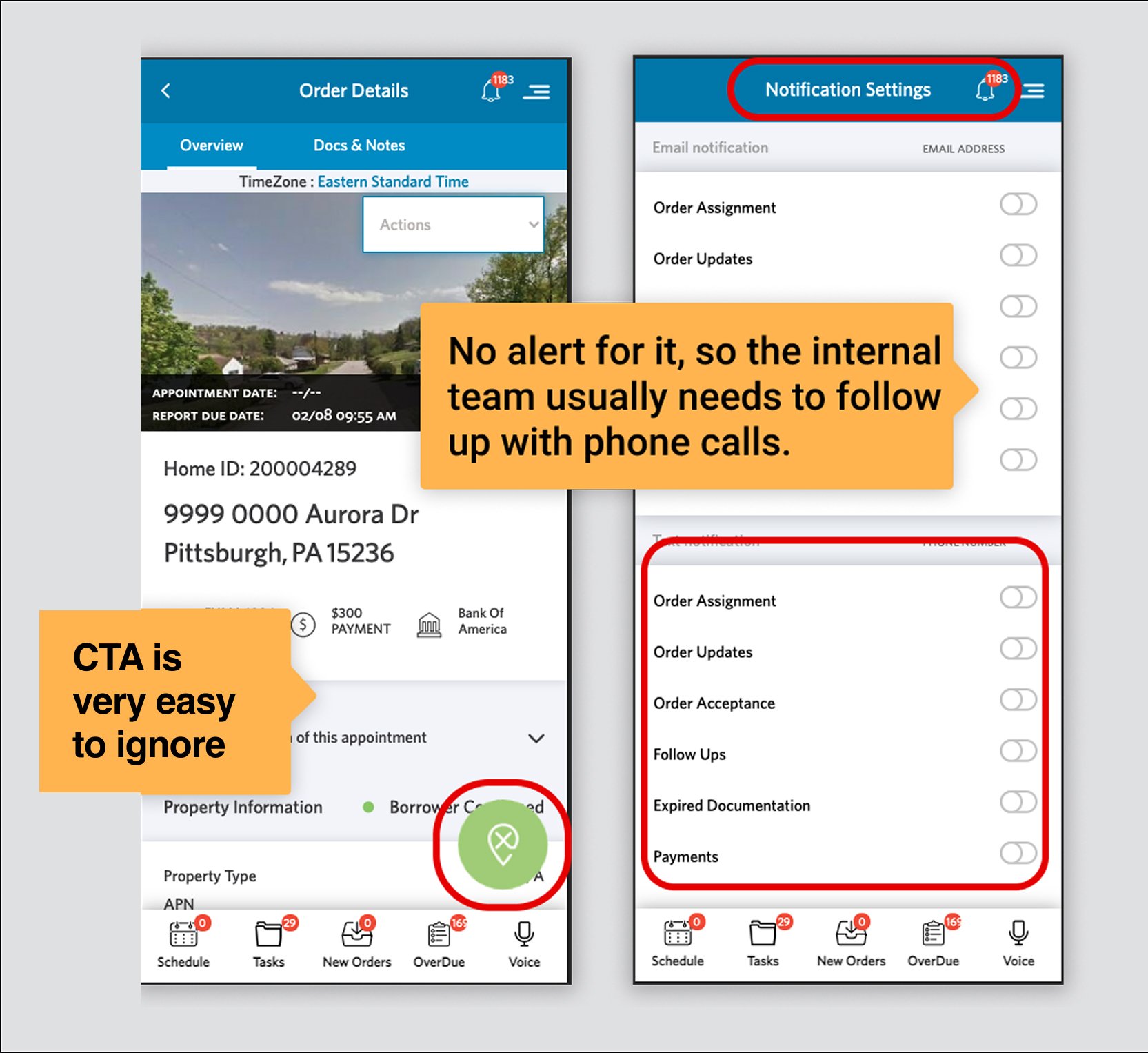
✔ After - device and in-app notification
GPS tracking, ,multi-channels notifications, gracefully check-in/out period, priminent placement
Profile Tab - A Home for Secondary, Non-Appointment Features

Before
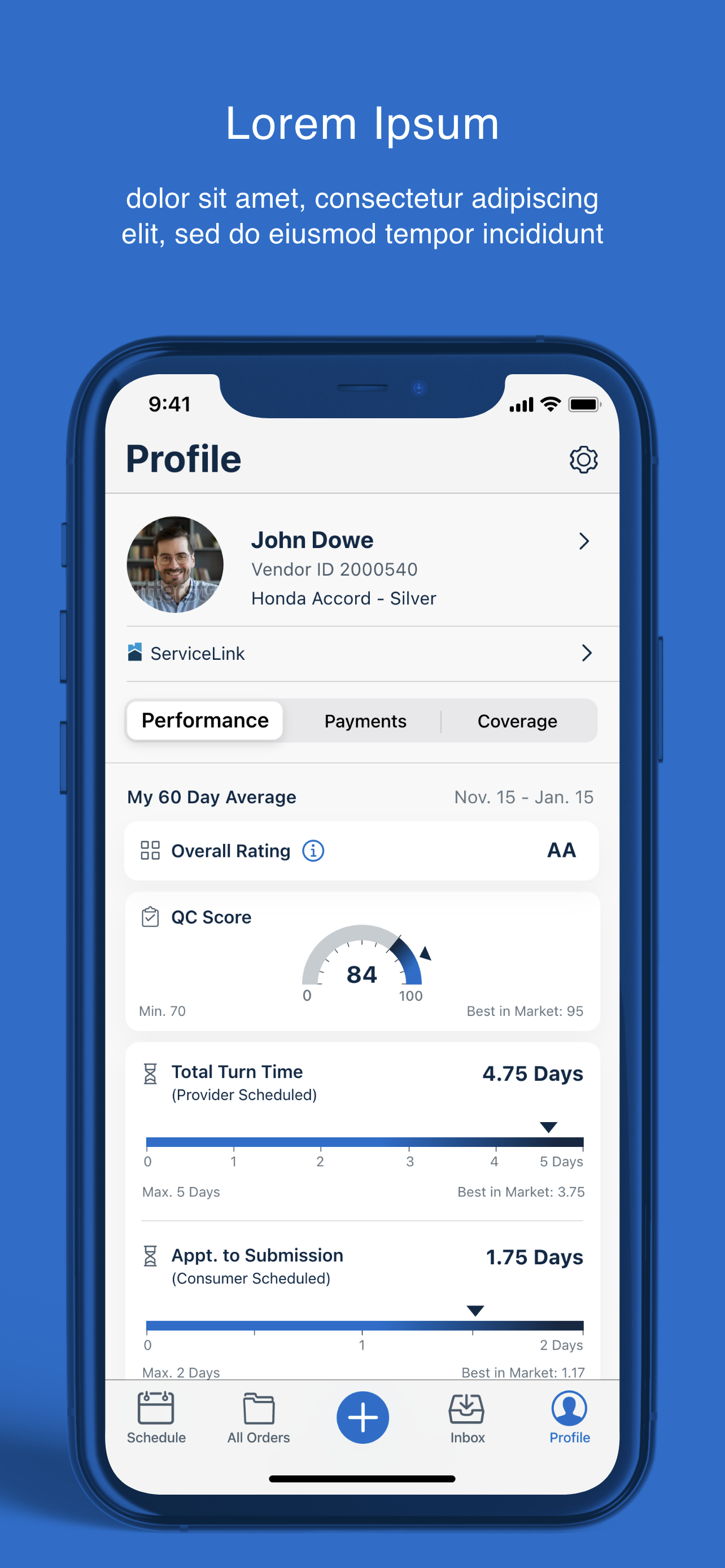
Critical features like payments, performance, profile are hidden in the hamburger menu, the discoverability of these features is low.

✔ After
After refresh, Profile, Performance, Coverage are organized in the Profile tab and leave the less used features in the Settings icon.
EXOS Voice User Interface - A Safer and Personalized Rider Experience

EXOS Voice - Due to the appraiser’s working nature, they spend a lot of time driving or walking onside. To provide convenience and maximize work efficiency, I envisioned and worked with the DEV team to implement a voice UI idea. It could work on both App side and wearable like iWatch to ensure that the appraiser can interact with the App directly through voice. A perfect use case, i.e., navigate to the next destination while driving.
Setup Flow - Make the Value Stand Out

We don’t want to overwhelm the user with a bunch of ask “Permission“ alert, but they are critical for the App’s features and user’s convenience, so in this project, I pitch and work with the team for a setup flow and bring why we need permission and how these features works.
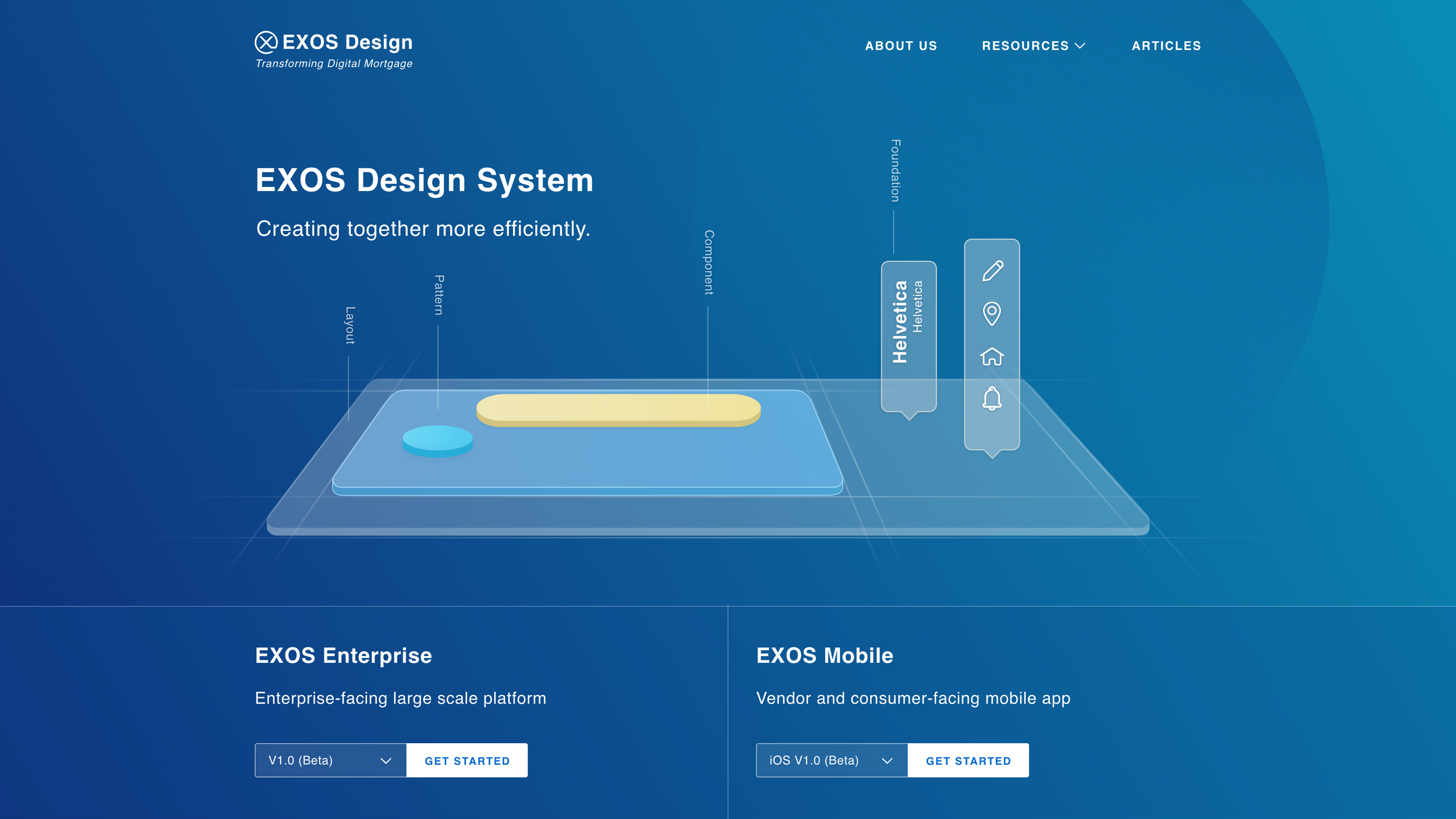

Impact
-50% cycle time · 750K appraisals supported · 800+ screens · Design guideline established
“The many new additions from the previous version have made executing each inspection much more convenient, and nearly flawless from assigned to closed.”
“I love how easy it is to sync everything with my calendar.”
“I like the updated App, it gets the job done with reminders.”
MORE
PROJECTS

Unified Payment Experience
Affordability Discovery